Whenever I type ng serve or ng serve --open, it always opens an editor and doesn't open the project.
You can see this in the images below, this is the first image of command:
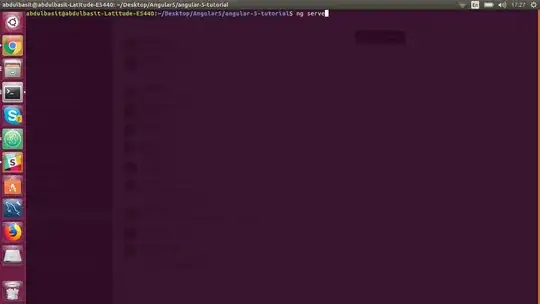
This editor opens after typing the command and pressing Enter:
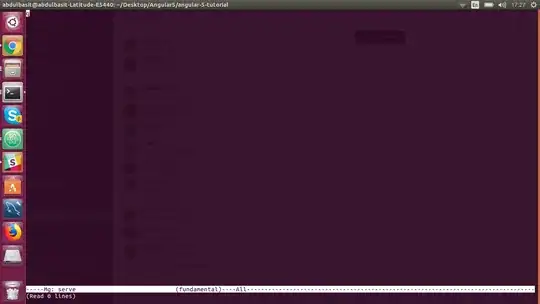
Whenever I type ng serve or ng serve --open, it always opens an editor and doesn't open the project.
You can see this in the images below, this is the first image of command:
This editor opens after typing the command and pressing Enter:

This is the terminal editor on the 'ng' alias. Uninstall it with:
sudo apt purge ng-common ng-latin
And then install Angular CLI (assuming you have npm installed) with
sudo npm install -g @angular/cli
If you don't have npm installed have a look here

Assuming you installed your node with nvm, then put this in your .bashrc:
alias ang=~/.nvm/versions/node/`nvm current`/bin/ng
Or if your ng command is somewhere else, adjust accordingly. Then use angular with "ang" instead, and use the editor with "ng".

As the other answers suggest, you execute ng (editor) (see man ng) instead of the Angular CLI.
To locate the binary that is actually executed you can use:
$ which ng
/usr/bin/ng
There are a number of ways to work around the problem. Some are:
npm start instead of ng servePATH environment variable (in your .bashrc). E.g. export PATH=~/.npm-global/bin:$PATH if npm's default directory was changedPS: To exit the editor the shortcuts Ctrl+x and then Ctrl+c work for me.


type ngplease? [Edit] your question and add it as plain, code-formatted text, not as screenshot. – Byte Commander Nov 27 '17 at 12:37typeshould be a shell builtin, if that doesn't work, you did something weird because you're not running a Bash shell then. – Byte Commander Nov 27 '17 at 12:43type ngto be an instruction to "type" the commandng- rather than to "typetype ng" – steeldriver Nov 27 '17 at 12:52