2

When I do a ssh to an OpenSuse machine and use yast I have to use tab intead of alt+y for help for example, I don't know what else to say...
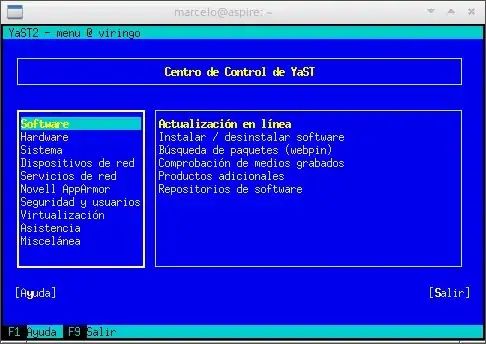
enter image description here

My question is how to set up this to have a propper xterm console.

additin:xterm and/or LXterminal maybe this one has some features to add, really don't know.

maniat1k
  • 8,130
  • 1
    I can't work out what the question is here? What terminal are you using? Actual xterm or something else? What do you expect to happen, and what happens instead? Are you close enough (network wise) to use remote X windows, perhaps? – ams Dec 30 '11 at 15:31
  • using xterm... I want to be able to use alt+ when use ssh on a opensuse machine (the yast console), just like when you use xterm on the opensuse it self. – maniat1k Dec 30 '11 at 22:25

2 Answers2

3

On xterm, press the Control key and at the same time left-click somewhere on the xterm window.

A menu should appear, where you can select "Meta Sends Escape" that should do what you ask

enter image description here

To set this option as default, create a file of name .Xresources in you home, and put the following line into it:

XTerm.metaSendsEscape: true

then restart your session.

enzotib
  • 93,831
0

As a follow up to the accepted answer, XTerm.metaSendsEscape is now XTerm.vt100.metaSendsEscape. According to the documentation for xterm:

The following resources are specified as part of the vt100 widget (class VT100). They are specified by patterns such as “XTerm.vt100.NAME”.

If your xterm is configured to support the “toolbar”, then those patterns need an extra level for the form-widget which holds the toolbar and vt100 widget. A wildcard between the top-level “XTerm” and the “vt100” widget makes the resource settings work for either, e.g., “XTerm*vt100.NAME”

(metaSendsEscape is among the resources specified in the VT100 class)

The full declaration in Xresources should be

XTerm.vt100.metaSendsEscape: true