I am not being able to delete certain files with an error no such file or directory. A file on my desktop as well as a file in my movies folder is not being deleted.
I am 100% sure the problem isn't with the name of the file because I always use tab key to auto complete the name.

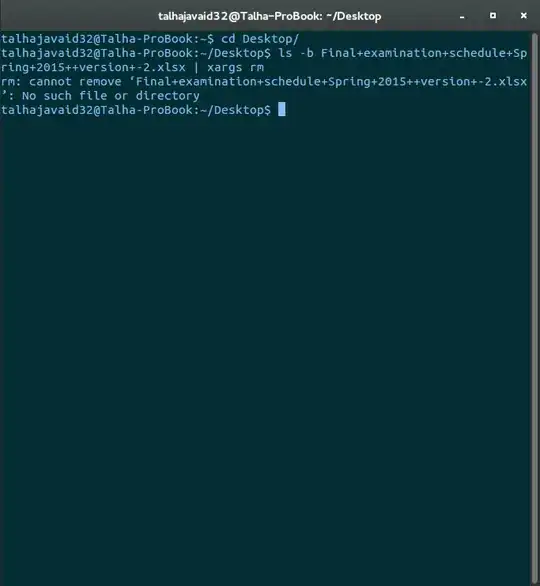
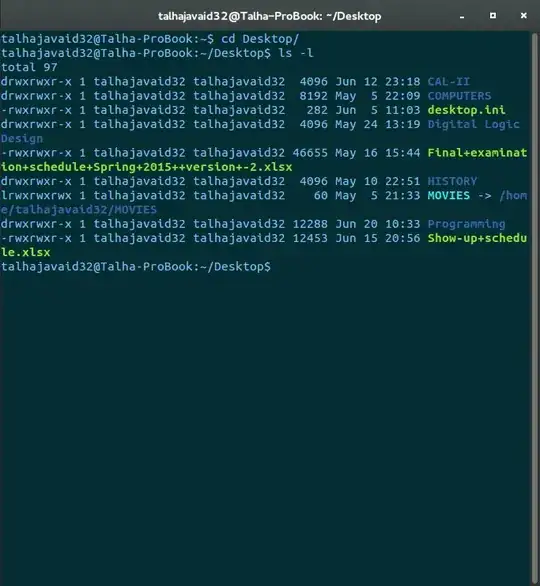


rm /path/to/your/fileand add any errors to your question – Mark Kirby Jun 22 '15 at 18:55rm Final*.xlsx? Does that work? I suspect the '+' signs are causing you trouble, which is why I only use letters, numbers, dash and underscore in a filename on every OS I use. Can you start up a GUI file manager and delete it that way? – Bulrush Jun 22 '15 at 19:16ls -l Final*.xlsxand post the results to your original message. We need to see the owner and permissions. – Bulrush Jun 22 '15 at 19:18~/Desktop, typerm Finalthan hit TAB to use auto-completion to match the exact filename and report back. If this doesn't succeed I fear you might have a corrupted filesystem. – kos Jun 22 '15 at 19:22