Is it possible to encrypt file with .asc extension directly from Nautilus?
I tried with Seahorse add on but its always encrypting with gpg extension.
You can use Nautilus-Actions Configuration Tool and create an action to do this.
Find the application in Software Centre
From Gnome Terminal type:
sudo apt-get install nautilus-actions
nautilus -q
nautilus-actions-config-tool

Then add you action like this:

path = /usr/bin/pgp
parameter = --recipient "" --armor --encrypt %f
Now when you right click on file, you'll see this

Actual Result (even if not GUI, because I don't have nautilus-actions-config-tool installed) :
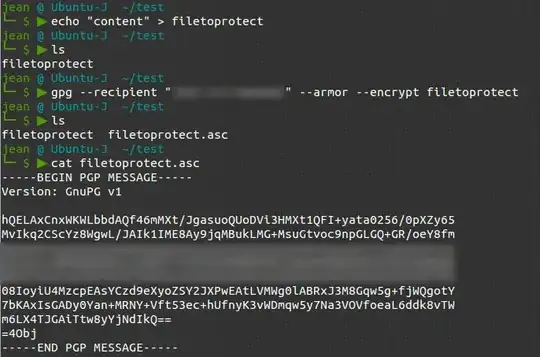


You can create a file .asc with GPG on older versions. Now, you'll have to rename the extension. So, create file.pgp, and mv file.pgp file.asc to rename it.
That should be it.
In here, it's also said that you can do that :
1) First make sure you don’t have a key already:
gpg --list-keys
2) If you didn’t and need to create a key then run:
gpg --gen-key
It might hang for awhile while generating enough random entropy. Run ls -R / to speed things up.
3) And upload it to a public key server:
gpg --keyserver hkp://pgp.mit.edu --send-keys <keyid>
4) Now list the keys again to get the keyid:
gpg --list-keys
The keyid is the half after the / in:
pub XXXX/XXXXXXXX 2011-12-05
5) Then generate your key:
gpg -ab <filename>
