Help! Somehow my terminal looks like this:
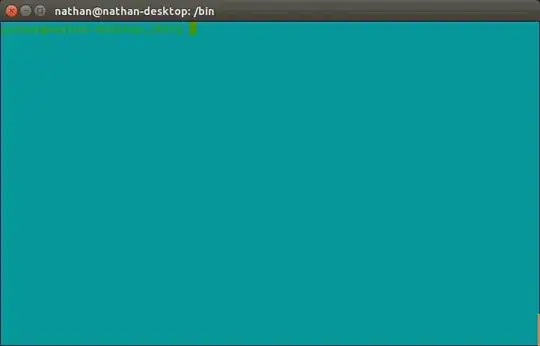
It's nearly impossible to read the text. How can I fix it without exiting the terminal?
Help! Somehow my terminal looks like this:
It's nearly impossible to read the text. How can I fix it without exiting the terminal?


The likely cause of this problem are ANSI Escape Codes. These allow scripts to change the foreground and background color of the terminal. You can even mimic the colors of the screenshot above by running the following command:
echo -e '\E[32;46m'
To reset the terminal colors, use the following command:
tput init
According to the manpage:
    init  If the terminfo database is present and an entry for the user's
          terminal exists (see -Ttype, above), the following will occur:

          (1) if present, the terminal's initialization strings will be
              output as detailed in the terminfo(5) section on Tabs and
              Initialization,

          (2) any delays (e.g., newline) specified in the entry will be
              set in the tty driver,

          (3) tabs expansion will be turned on or off according to the
              specification in the entry, and

          (4) if tabs are not  expanded, standard  tabs  will  be  set
              (every 8 spaces).

          If an entry does not contain the information needed for any of
          the four above activities, that activity will silently be
          skipped.
This should restore your terminal to its original colors.
tput setaf 7 && tput setab 0 from comments further down? It helped me when tput init did not
– robbat2
Aug 07 '19 at 22:57
You can try this command also.It will reset your terminal color.
tput sgr0
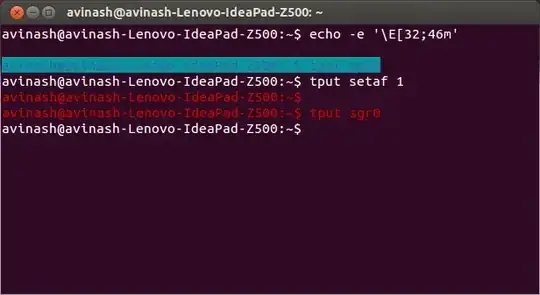

echo -e '\E[32;46m'; tput init did absolutely nothing.
– ideasman42
Jul 24 '22 at 04:51
If you find your terminal in a state that none of reset, tput init, nor tput sgr0 can fix, try tput setaf 7 && tput setab 0 to force the text to white on black.

sgr0 is the code that will reset everything back to normal (Whatever normal is)
– Eric
Aug 26 '22 at 08:36
caton a binary file. – Nathan Osman Apr 05 '14 at 04:22cata binary file, was quite an experience... – Aditya Apr 06 '14 at 01:00