 Release status: unmaintained |
|
|---|---|
 |
|
| Implementation | User interface |
| Description | This extension provides an avatar system that can be used for other extensions |
| Author(s) | Gary Guo (Nbdd0121talk) |
| Latest version | 1.0.0 (2016-05-24) |
| MediaWiki | 1.25+ |
| Database changes | No |
| License | BSD 2-clause "Simplified" License |
| Download | GitHub: Note: README |
|
Parameters
$wgDefaultAvatar, $wgAllowedAvatarRest, $wgMaxAvatarResolution, $wgDefaultAvatarRes |
|
|
Added rights
avatarupload, avataradmin
|
|
|
Hooks used
|
|
Not to be confused with Extension:Avatars.
Avatar - Yet another avatar architecture for MediaWiki. This extension provides an avatar system that can be used for other extensions.
Install
- Install php-gd, which is a dependency of this extension
- Clone the respository, rename it to Avatar and copy to extensions folder
- Add
wfLoadExtension('Avatar');to your LocalSettings.php - You are done!
Configuration
$wgDefaultAvatar(string), should be set to the URL of the default avatar.$wgAllowedAvatarRes(array), default value is array(64, 128). Thumbnails will be created upon request when their size is in this list.$wgMaxAvatarResolution(integer), default value is 256. This limits maximum resolution of image to be uploaded.$wgDefaultAvatarRes(integer), default value is 128. This is the fallback option if resolution is not specified.- You can set user rights:
avatarupload: User need this right to upload ones' own avatar.avataradmin: User need this right to delete others' avatars.
How to use
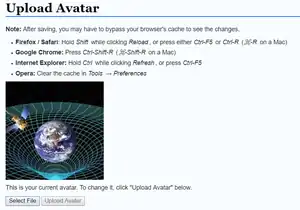
- Users can upload avatar in their preference
- Sysops or other users with
avataradminright can delete avatar via Special:ViewAvatar - A new entry point for MediaWiki is added,
$wgScriptPath/extensions/Avatar/avatar.php?user=usernamewill be redirected to user's avatar. - You can also set alias for this php to make it shorter.
- If you are using Gadgets
- If you want to display the avatar on the top-right navigation bar, you may find Gadget-ShowAvatar in example folder useful.
- If you want to display avatars before user link, you may find Gadget-UserLinkAvatar in example folder useful.

Gadget-ShowAvatar
Detailed API
- Uploading Avatar: No API provided yet, but one can post to
Special:UploadAvatar(or its localized equivalent). The only form data required isavatar, which should be set to the data uri of the image. - Displaying Avatar: This extension provides an entry point for MediaWiki
avatar.php. This entry point produces result via a 302 redirect. This approach is used to maximize performance while still utilizing MediaWiki core. There are currently 4 available arguments.userset to the user of who you want to enquery the avatar.resthe preferred resolution of the avatar. Note that this is only a hint and the actual result might not be of the resolution. This parameter is valid only if `user` is set.vera version number which will be appended to the location field of redirection. Can be used to circumvent browser/CDN cache.nocacheif this parameter is set, then no `cache-control` header will be emitted.
This article is issued from Mediawiki. The text is licensed under Creative Commons - Attribution - Sharealike. Additional terms may apply for the media files.